
DiffDish plans your week from the recipes your family actually eats — and quietly makes sure it's different every time.
Get It On Google Play How It Works
Version 1.1.0 · Android · Free, no account required
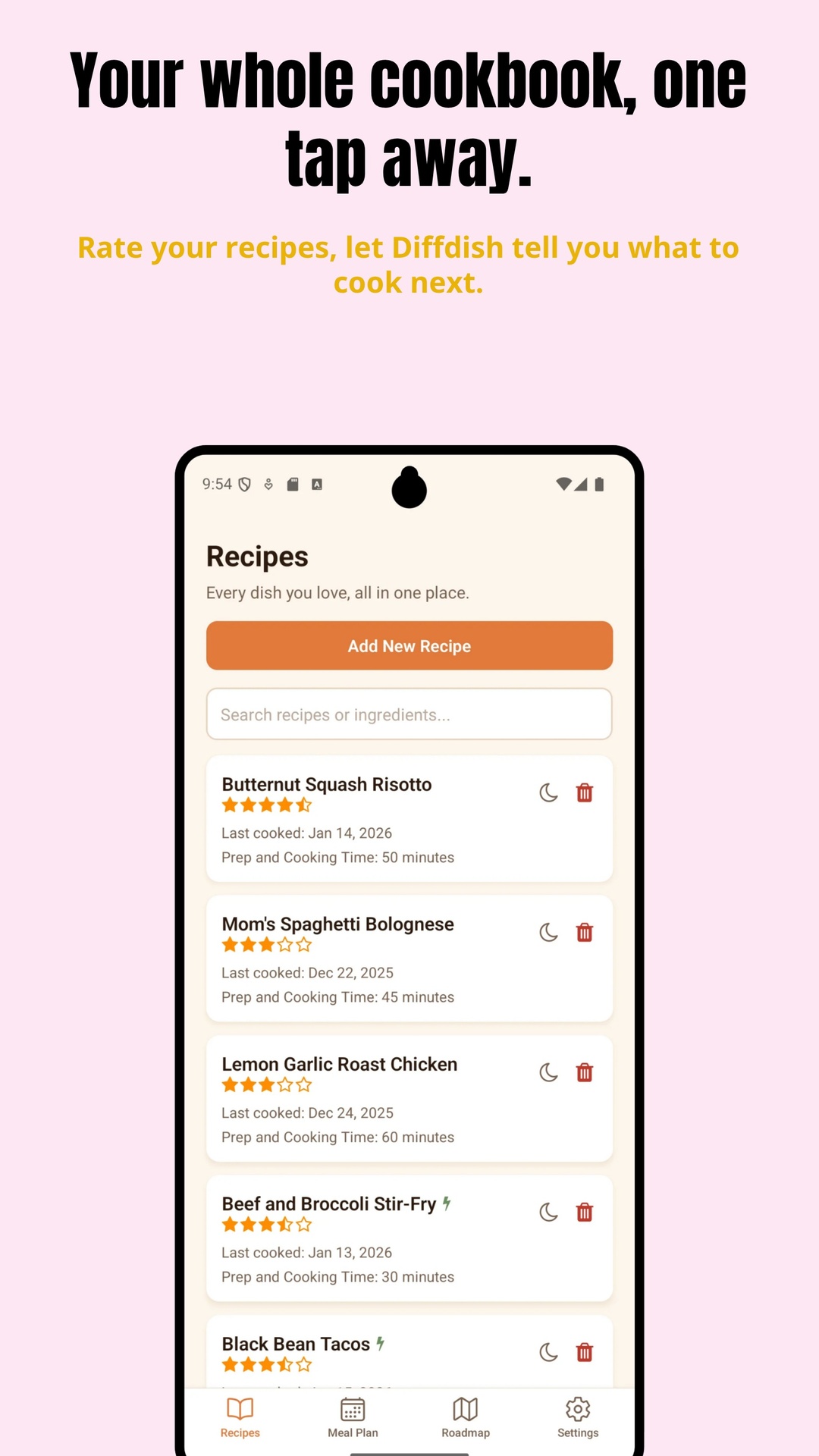
Most recipe apps are storage boxes: you save recipes, then you still have to decide what to cook. DiffDish re-ranks your list so the right answer is already at the top.
How long since you last cooked it. Never-cooked recipes count as a year old, so anything new surfaces fast.
Your own 0–5 stars. Unrated recipes sit at a neutral middle rather than getting buried.
Shorter total time breaks ties.
Four things keep the rotation honest, and none of them ask anything of you.
Anything already scheduled later in the week is hidden from the picker, so you can't accidentally put the same dinner on the table on Tuesday and again on Friday.
You don't log anything. Once a planned day passes, DiffDish counts that meal as cooked and it drifts down the list on its own. Cooked something off-plan? Set the date by hand.
Every day on the plan has a Quick & Easy button. Tap it and anything at 30 minutes or under jumps up the ranking. Fast meals are badged wherever they appear.
For the "I like it, just not right now" case. Snoozing sinks a recipe to the bottom, then lets it work its way back up over the following weeks. Nothing is ever exiled permanently.
The part that usually stops people from ever filling a recipe app.
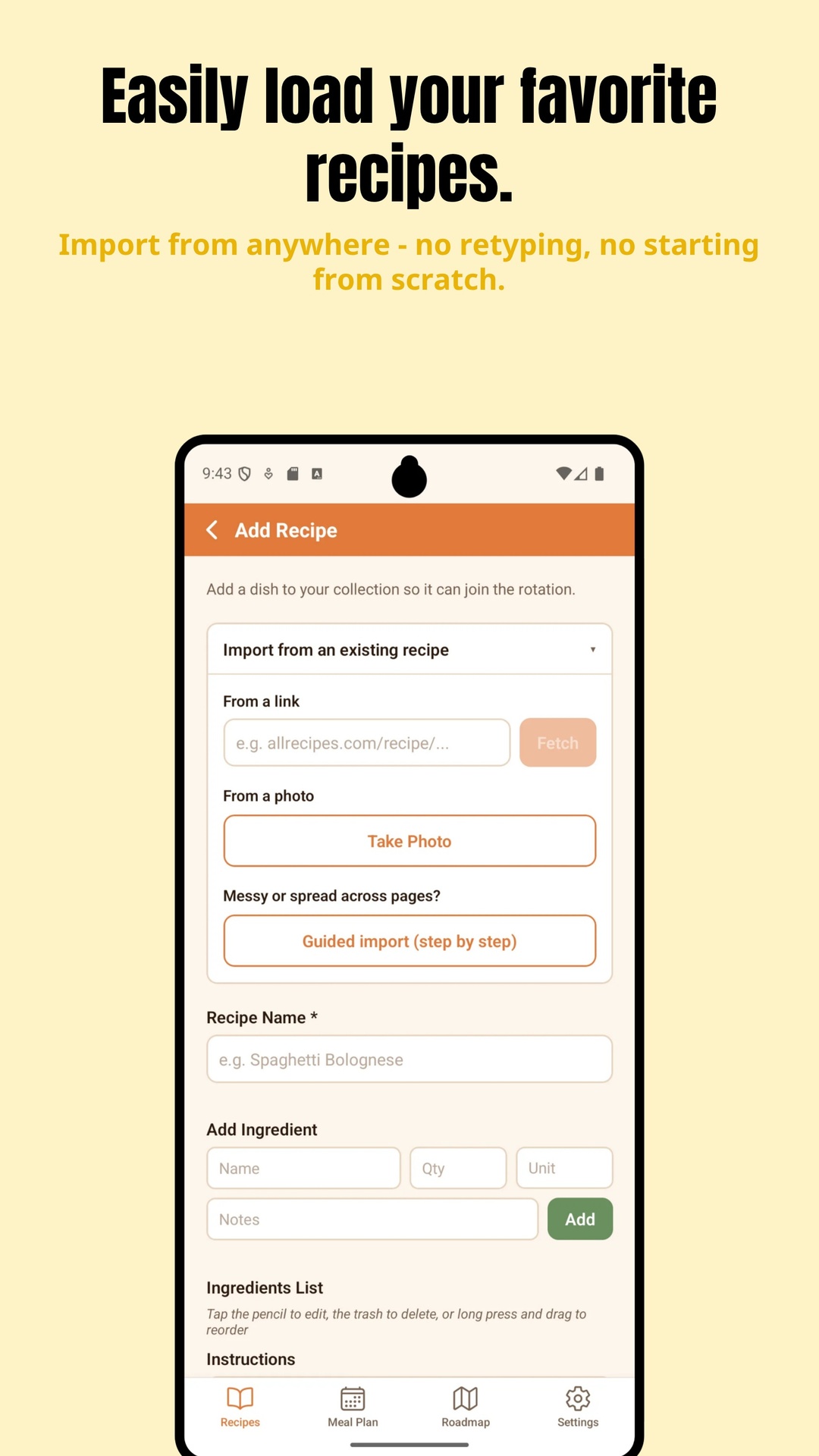
Paste any recipe URL. DiffDish reads the page's structured recipe data and pulls out the name, ingredients (split into quantity, unit, and item), instructions, and prep and cook times. Works with most modern recipe sites — and tells you plainly when a page hasn't got a recipe it can read.
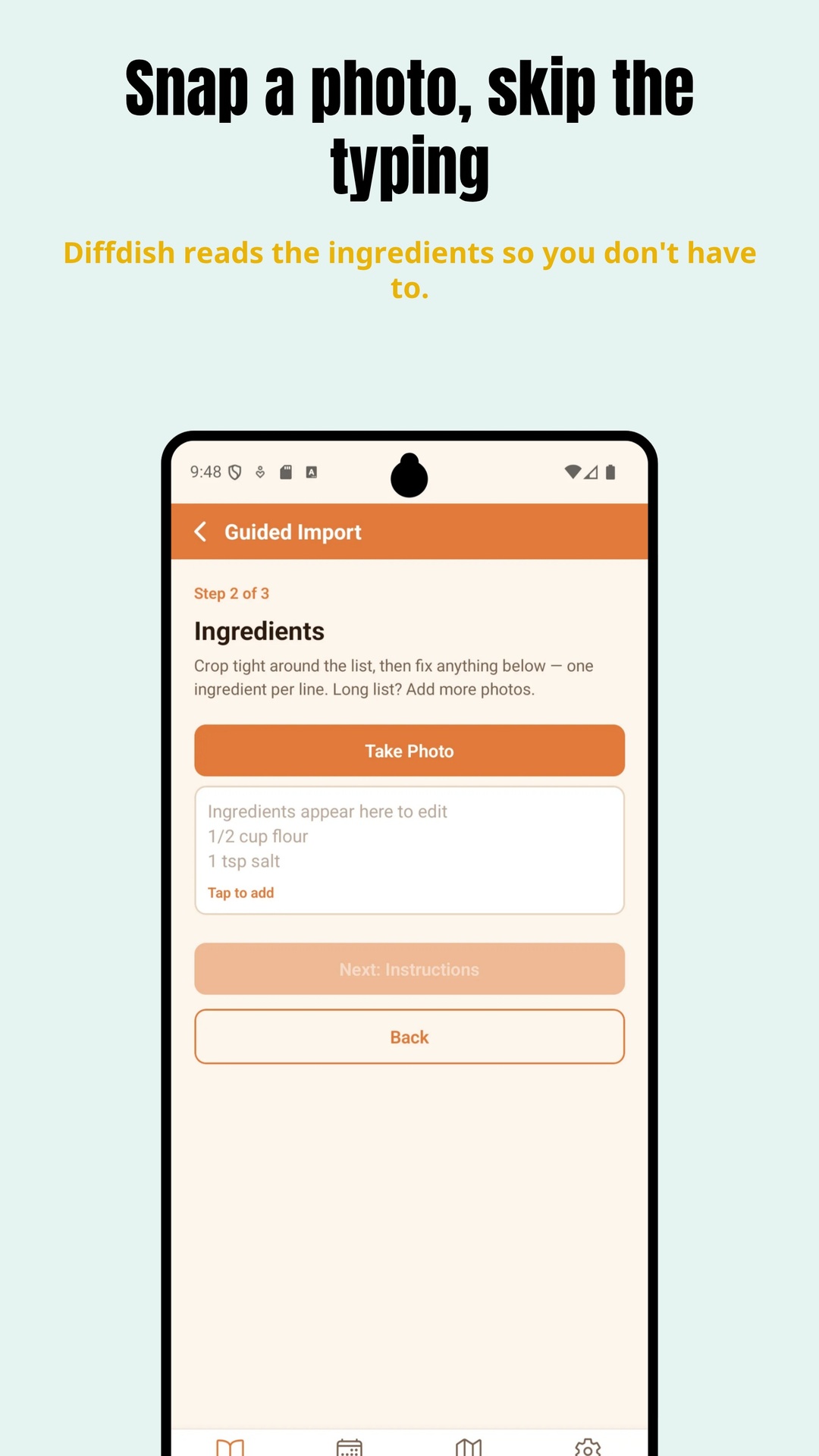
Photograph a cookbook page or a handwritten card. Text recognition runs entirely on your phone — the photo never leaves the device. It uses where each line sits on the page to rebuild proper reading order for two-column cookbook layouts, then separates ingredients from instructions.
For messy recipes, or ones spread across several pages. Step by step: the name, then photograph the ingredients, then the instructions — editing as you go.
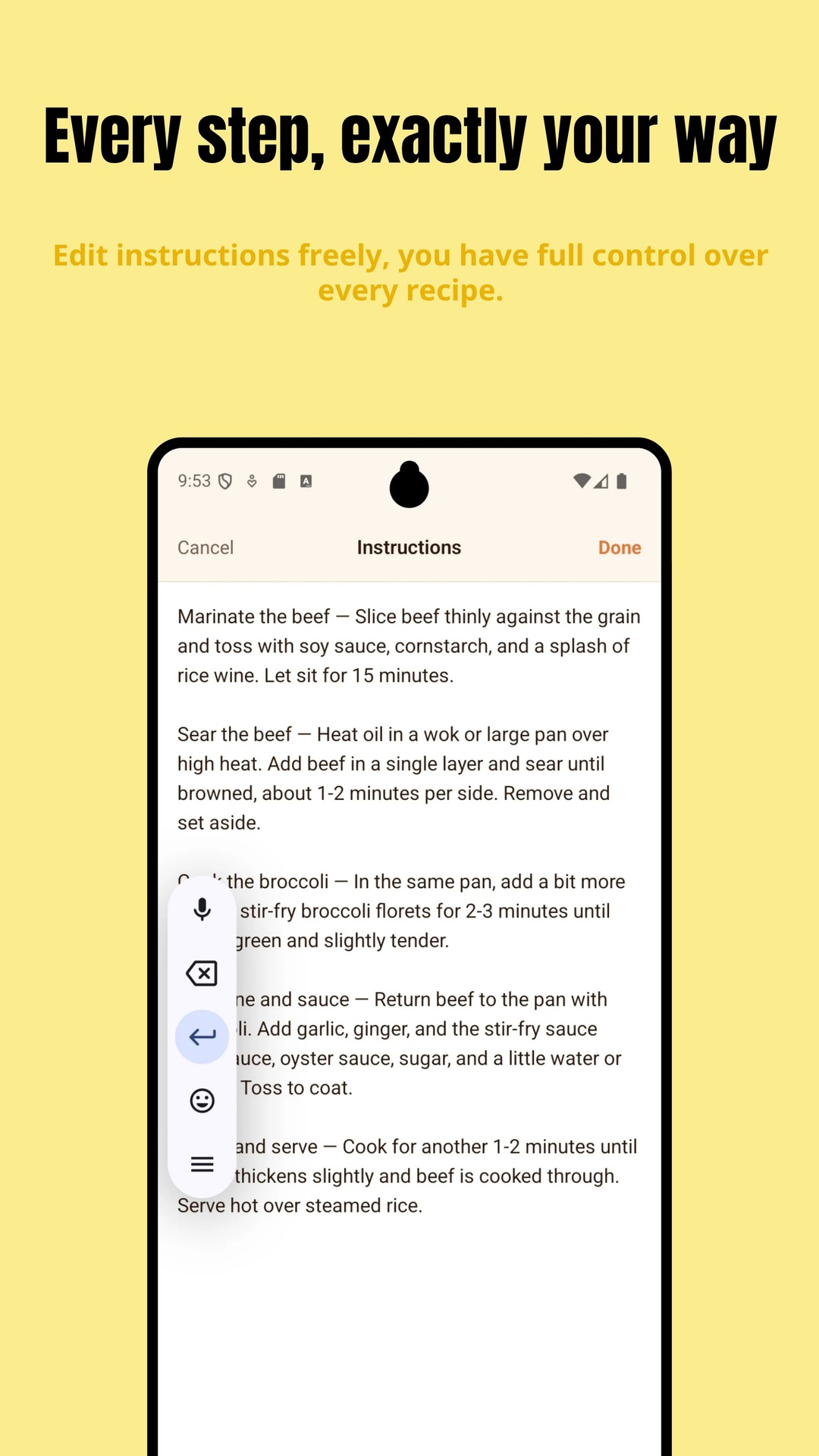
Everything imported lands in the normal editor for you to check before saving. Photo imports carry a reminder to double-check quantities until you dismiss it — text recognition can misread fractions, and we'd rather say so than pretend otherwise.
Everything a recipe needs to be genuinely usable while you're cooking.
A distraction-free view in larger type for when you're actually at the stove. Tap ingredients off as you add them so you never lose your place, then instructions and your own notes.
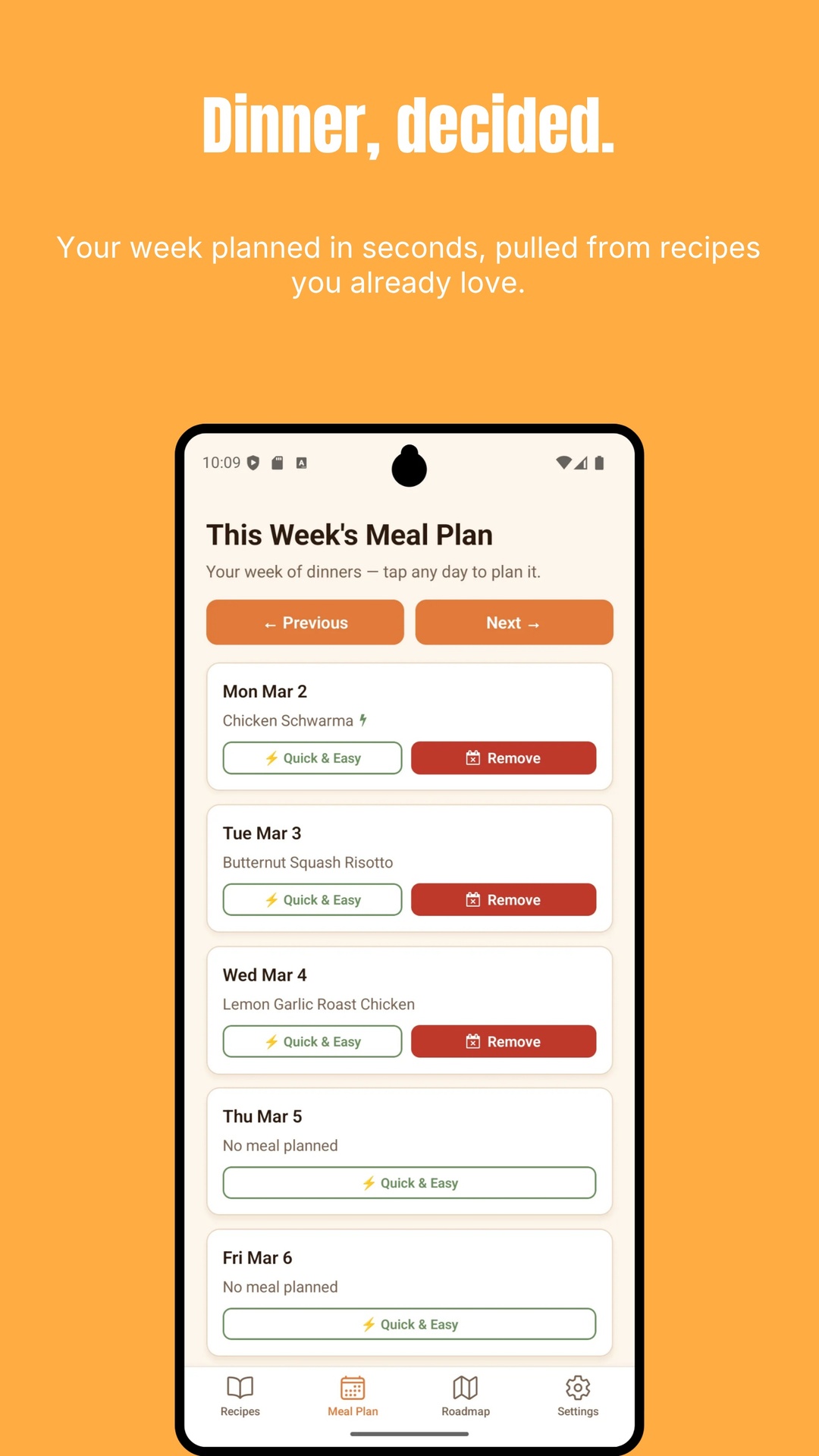
Your dinner plan for the week, today highlighted. Jump to any past or future week, tap a day to plan or change it, and clear a meal in one tap.
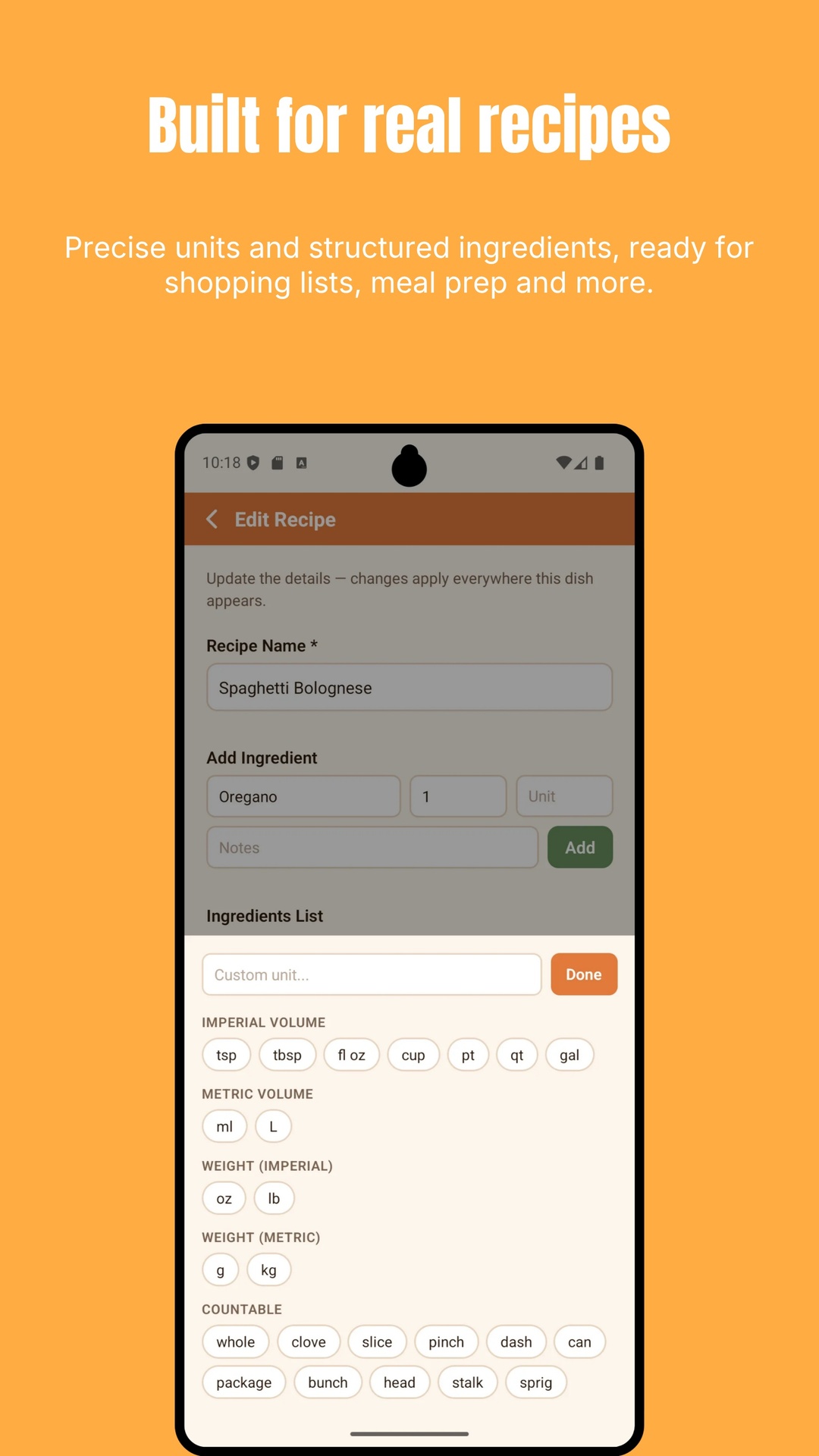
Quantity, unit, item, and notes as separate fields, with a unit picker that covers imperial and metric volume and weight plus the countable ones — clove, pinch, can, bunch, sprig, head, stalk. Drag to reorder.
Ingredient suggestions come from the recipes already in your own library, so the more you add the less you type.
Search across recipe names and ingredients at once — useful when the question is "what can I make with the chorizo in the fridge?"
Send a neatly formatted recipe to anyone through messages, email, or notes. No account needed on their end either.
Six screens that cover most of what you'll actually use.
No account, no sign-up, no server, no cloud. This isn't a privacy policy technicality — there is simply nowhere else for your recipes to go.
Everything lives on your device, so your recipes and your plan are there in a kitchen with bad signal, at a cabin, or in a grocery aisle.
Export a complete backup of your recipes, meal plan, and settings to a file and put it wherever you like — Drive, email, anywhere. Import it back on a new phone or after a reinstall.
We never receive your recipes, so we couldn't look at them if we wanted to. Ads and the optional purchase involve Google and RevenueCat; ad-consent preferences are yours to manage in Settings.
Free
Every feature, with one unobtrusive banner ad.
Don't want the banner? A single one-time purchase removes it for good — and restores automatically if you reinstall or change phones.
DiffDish is actively being built. The same list lives in the app under "What's Coming".
Something broken, or a feature you wish DiffDish had? Get in touch — a real person reads it, and the roadmap above came from messages like yours.
Email DiffDish Support